 DelivCore
The menu that takes the order.
Guests scan the QR on the table and your whole menu opens on their phone: photos, search and dietary filters, in their own language. They order, call the waiter or ask for the bill without waving anyone down, and it all lands in your POS on that table's tab. No app to install, 0% commission.
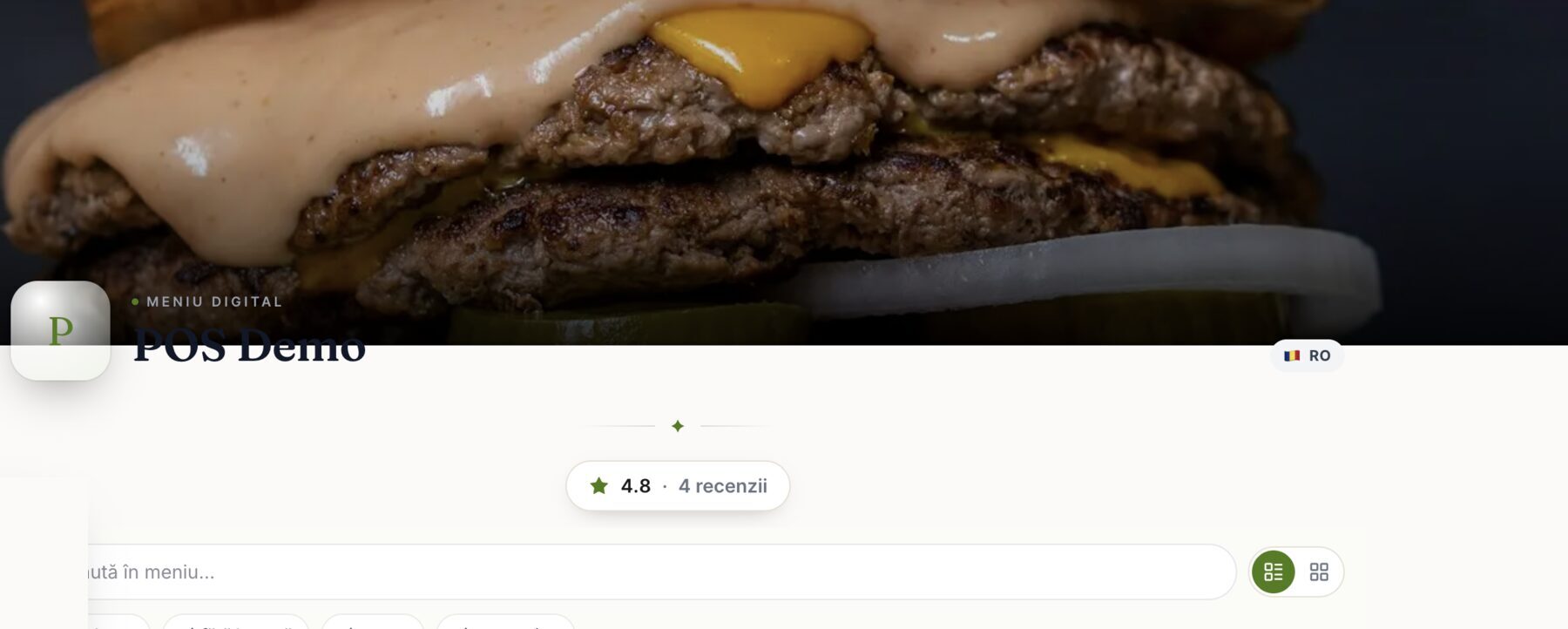 Digital menu · opened from the table's QR
What a printed menu costs you.
The printed menu is always out of date
Every price change or sold-out dish makes the laminated menu wrong, so you print it again. The QR menu updates the moment you hit save. The QR menu changes the moment you hit save.
Guests wait to order one more round
On a full terrace, another drink means catching the waiter's eye. Plenty of guests just give up, and you lose that round. The menu in their hand should take the order itself.
Tourists can't read the menu
A menu that only speaks Romanian makes foreign guests order less, ask more, and skip the specials. In high season, that means your busiest tables order the least.
One menu, every style
List or grid, bright or dark: the guest flips the view and you pick the theme.
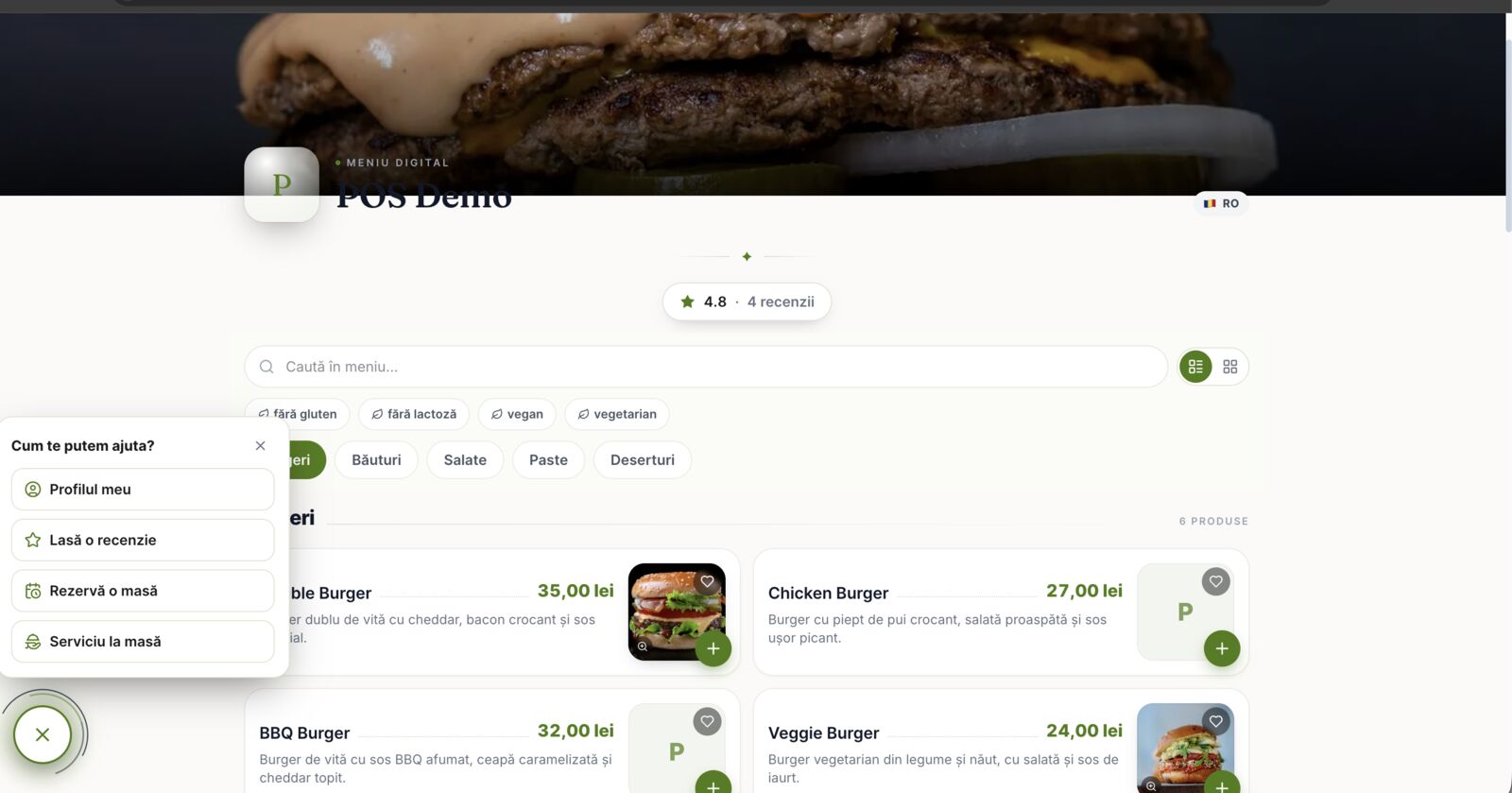
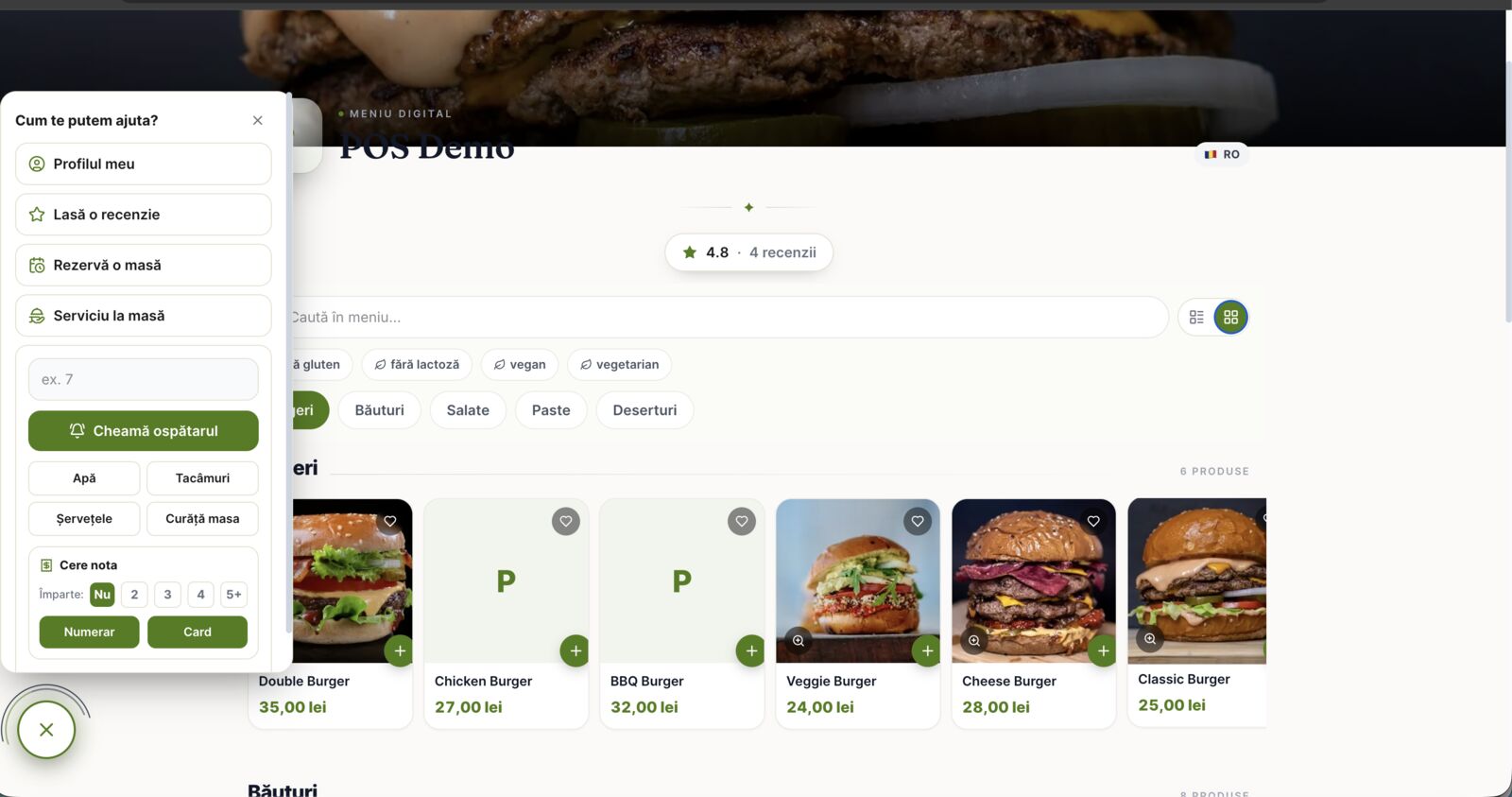
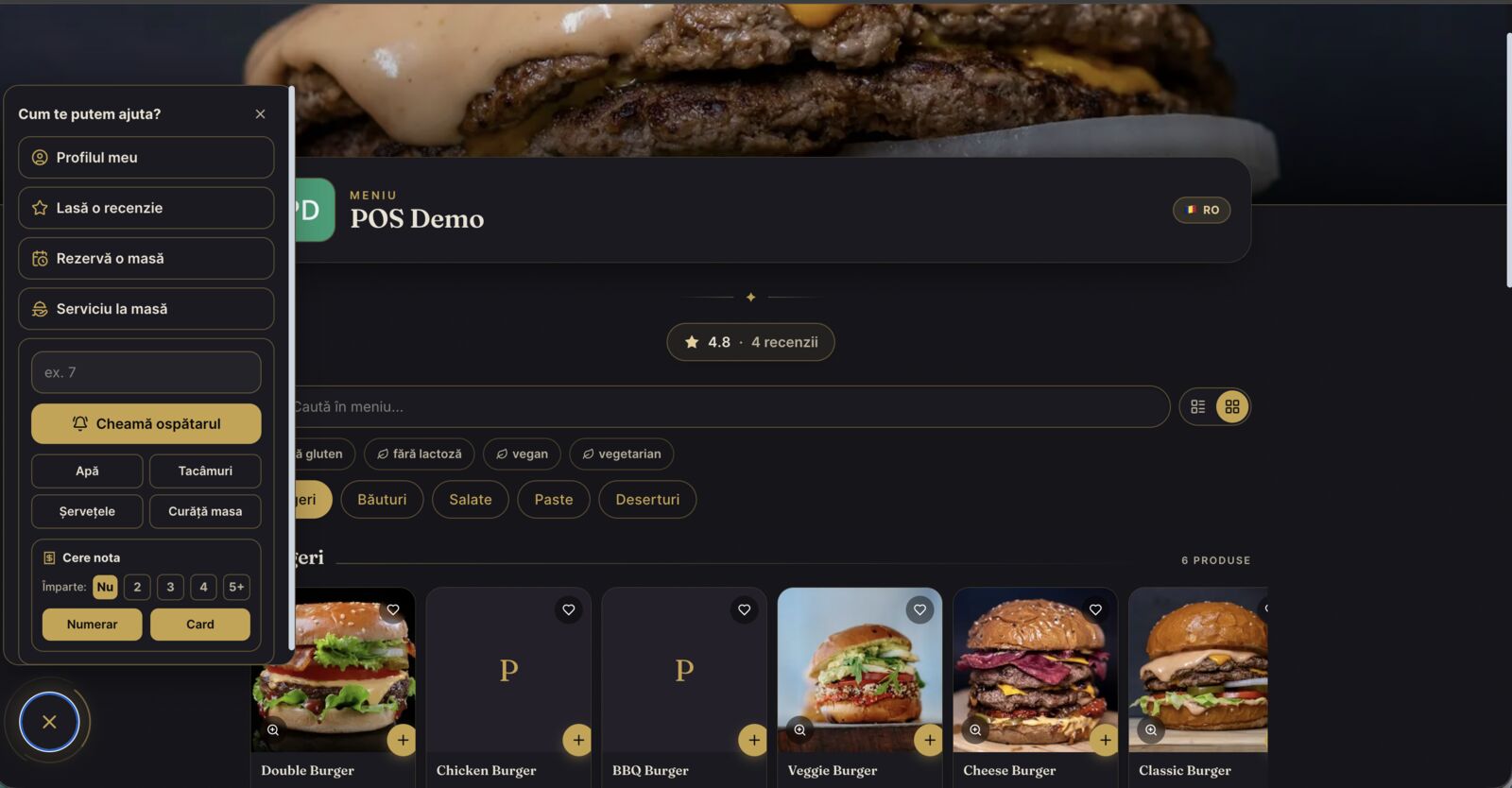
What the QR menu does for a venue
Orders land in your POS
The heart of it: a guest orders from the phone and it appears on that table's open tab in the waiter's POS, on the same bill, with nothing re-typed. The kitchen display fires instantly.
Call the waiter & ask for the bill
Water, cutlery, napkins, clean the table, or the bill, cash or card. The request pops on the waiter's screen with the table number attached.
Your brand, your theme
Colors, fonts, corners and logo from a live theme editor in the admin, from bright and friendly to dark and gold. The menu looks like your place, not like ours.
Search & dietary filters
Gluten-free, lactose-free, vegan, vegetarian: one tap. Add search and a photo lightbox, and guests find what they can eat before the waiter reaches the table.
The guest's language
The interface and the dishes are translated automatically: tourists read the menu in their own language, and the kitchen still gets its tickets in Romanian.
Reviews, reservations & regulars
Guests leave a review you moderate before it shows, book a table for next time, and the menu remembers regulars: name, allergies and favorite dishes.
The QR menu is one part of the same platform as the POS and kitchen; see DelivCore for restaurants.
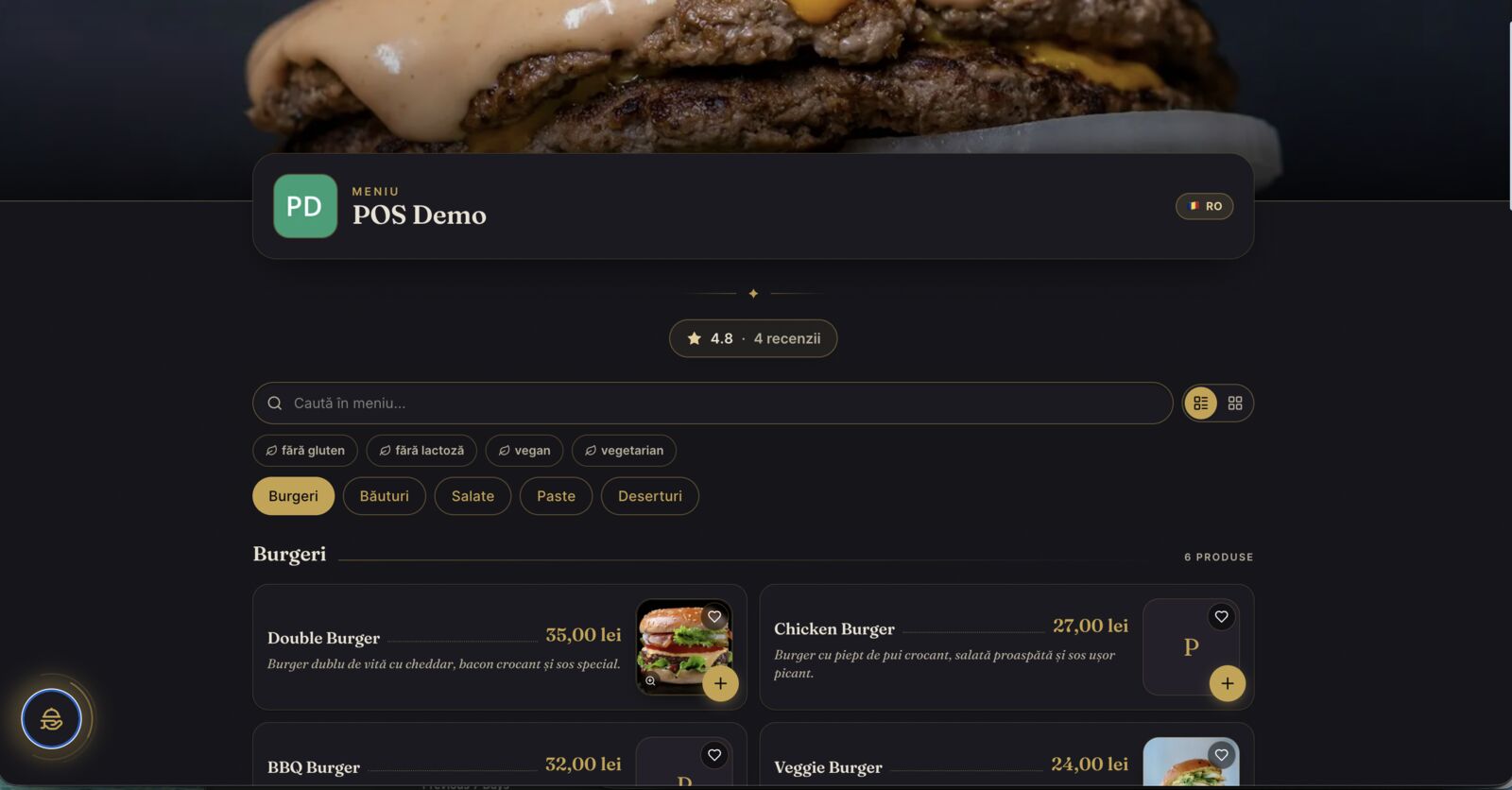 Luxe theme · same menu, new mood
Bright for brunch, gold for dinner.
The same menu can feel like a sunny café or a candle-lit steakhouse. You change colors, fonts, corners and logo from a live editor in the admin, without a designer or a reprint, and guests see a menu that matches the room.
- Live theme editor: restyle it any time; the change is on every table's QR instantly.
- Light or luxe: two moods, one menu; the content never has to be rebuilt.
- Photos that sell: every dish can carry a photo, with tap-to-zoom and favorites.
Styled in your admin, live on every table.
Everything above is set from one screen in the admin: pick an accent color, a typeface, a corner style and your logo, and watch the preview update as you click. Hit save — every QR on every table serves the new look instantly.
- Live preview: phone, tablet and desktop, right next to the controls.
- Color, type, corners & logo: one-click presets, plus a hex field for your exact brand color.
- Save once: no designer and no reprint; the menu changes the moment you save.
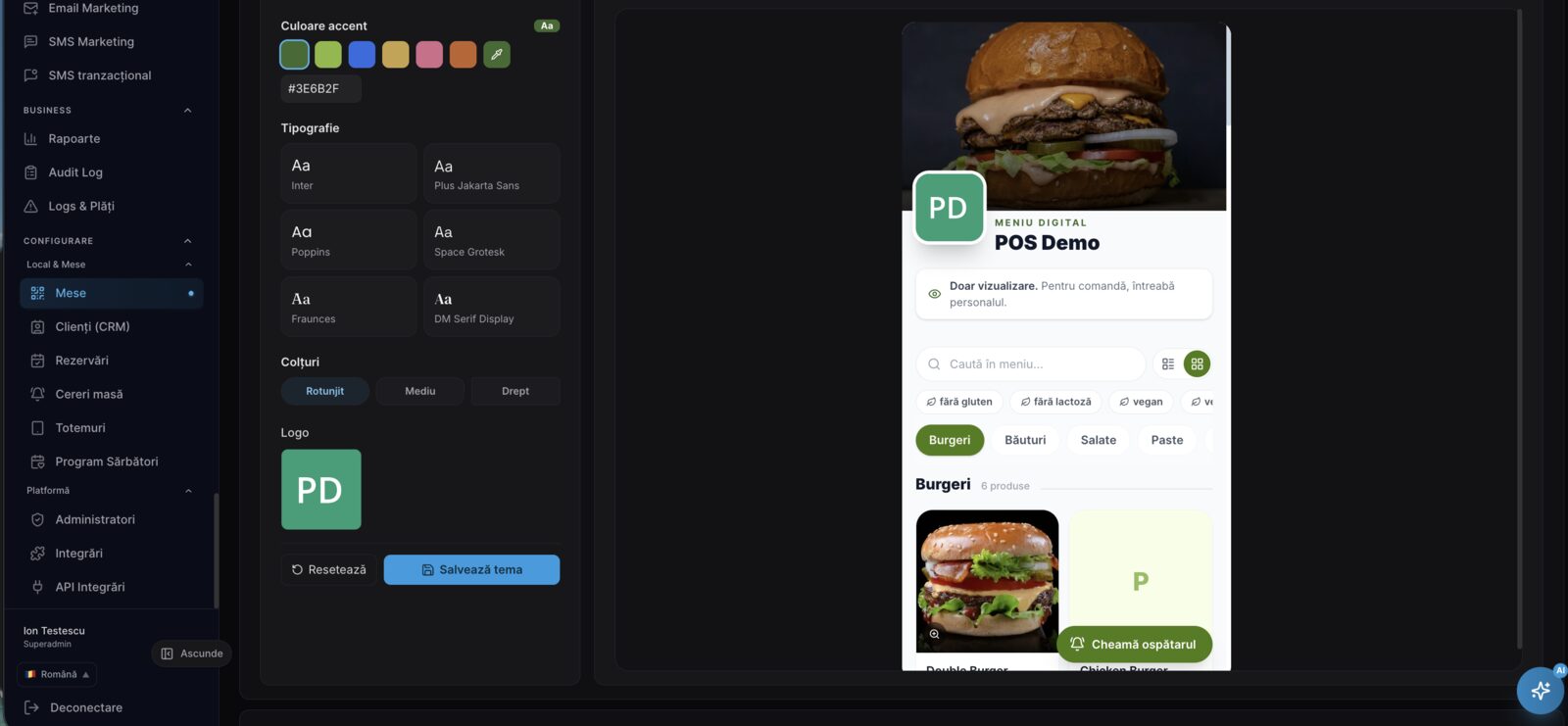 Theme editor · from the admin to every table
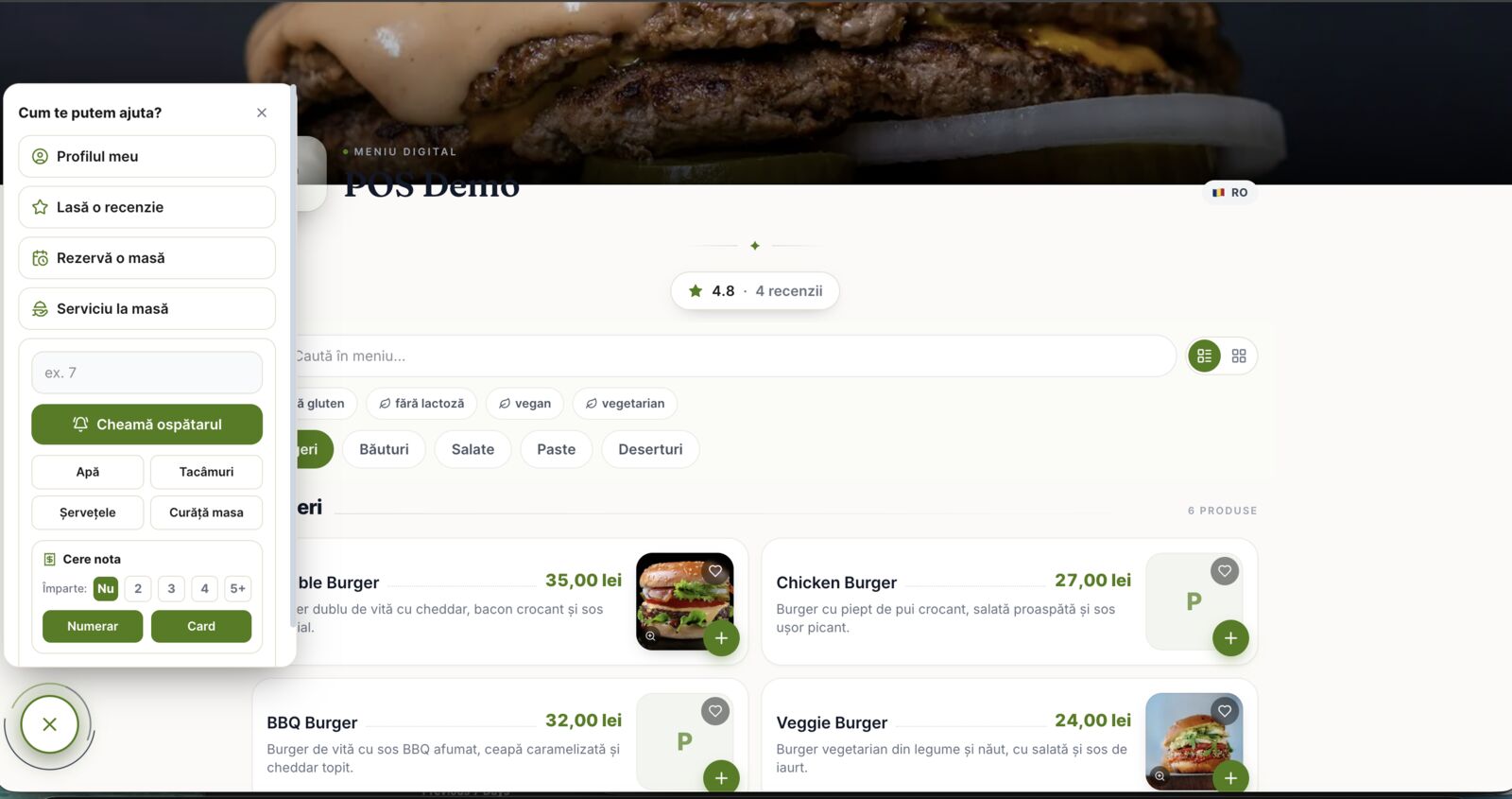
Service at the table, without raising a hand.
From the same menu, a guest can call the waiter, ask for water, cutlery or a clean table, and request the bill, cash or card. The request lands on the waiter's screen with the table number, so service feels instant even on a packed terrace.
Book a demoWatch the waiter call land.
The guest taps the call button on the luxe menu — and someone actually comes. Ten seconds from a real table.
How it works
Turn it on & make it yours
Enable the QR menu in the admin and style it with the live theme editor: colors, fonts, logo.
Print a QR per table
Every table gets its own code, so orders and requests always arrive with the right table number.
Guests scan & order
The menu opens in the phone's browser, with nothing to install. They browse, filter, order or call the waiter.
It lands in the POS
The order joins the table's open tab, the kitchen display fires, and the whole visit settles as one bill.
Anywhere guests sit down
If people order at a table, a QR menu on that table quickly earns its place.
Frequently asked questions
Do guests need to install an app?+
Where does the order go?+
How does it know which table is ordering?+
Can I change how the menu looks?+
What about foreign guests?+
How much does it cost?+
Put your menu on every table
One QR per table: guests browse, order and call the waiter, while your POS and kitchen stay in sync. Flat monthly pricing, 0% commission.